
Blur License Plates in Photos & Videos Online Free
AI-powered license plate blur tool that runs right on your phone or computer. Blur number plates in bulk, or in an MP4 video — 100% private, your files never leave your device.
Drop photos, folders, or a video hereTap to choose photos or a video
Batch process hundreds of photos, or blur every plate in an MP4 videoPhotos or a video from your camera roll — everything stays on your phone
See It in Action
Real photos, real results. Drag the handle to compare.
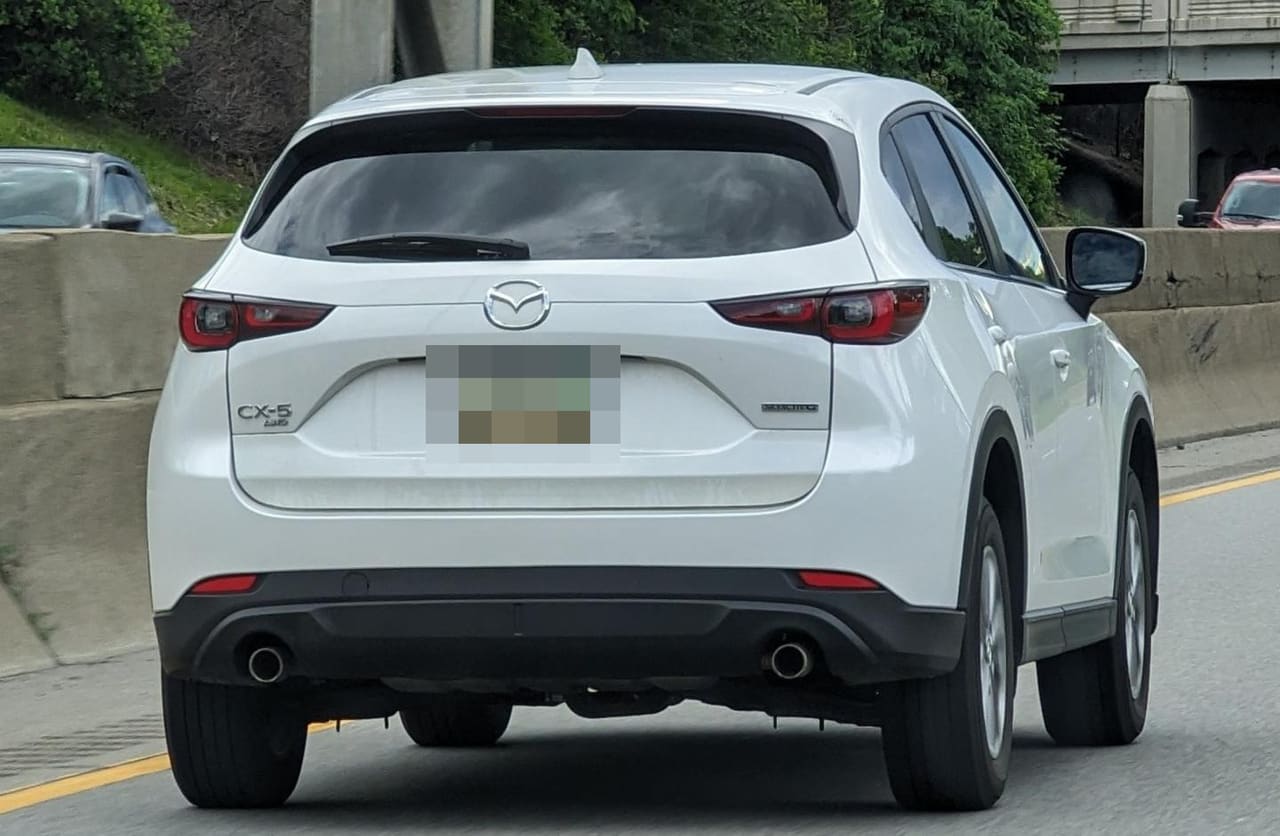 OriginalPixelated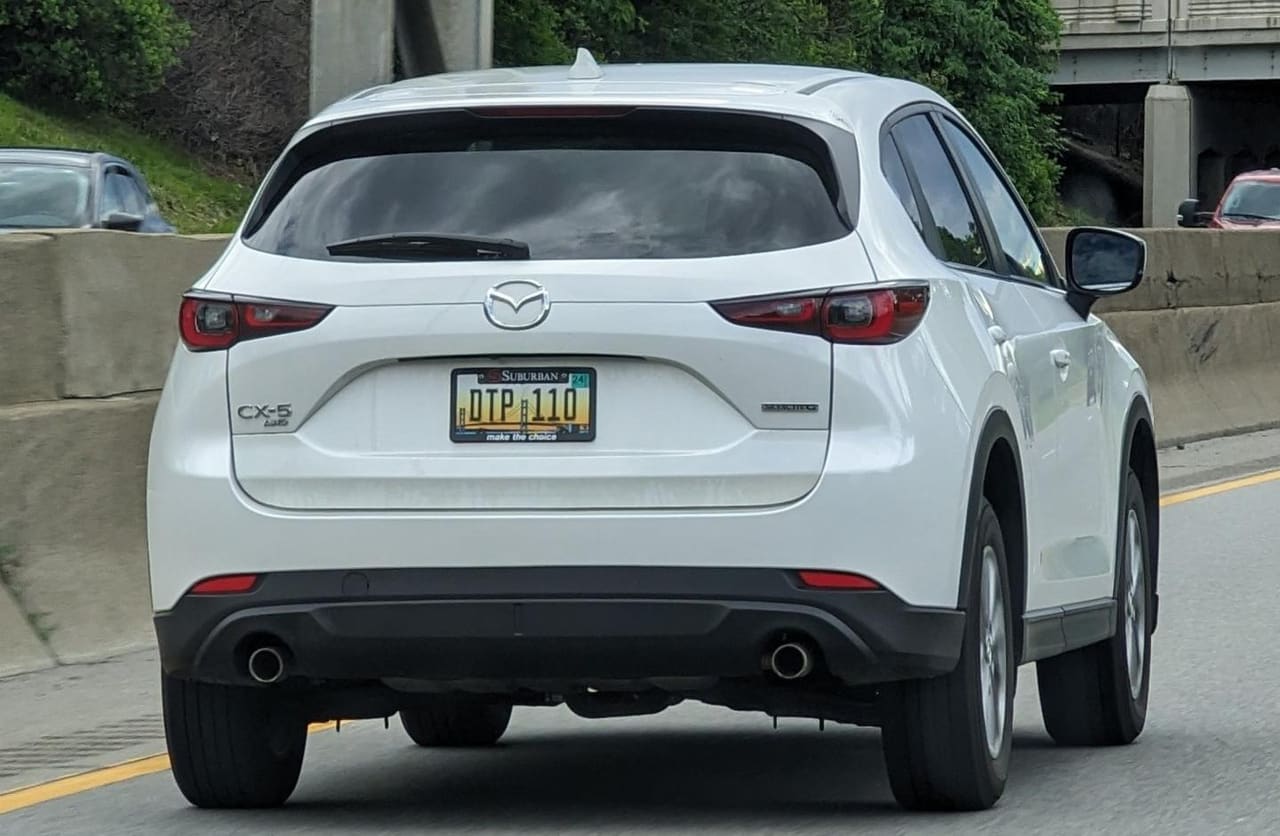
Every example was processed by BlurMyPlates right in the browser. Pick a style above and it's ready when you upload.
How to Blur License Plates in Photos
Upload Photos
Pick car photos from your camera roll on your phone, or drag and drop them on desktop.
AI Detection
Our AI model finds license plates automatically in seconds.
Download
Save blurred photos straight to your camera roll or downloads, ready to post anywhere.
BlurMyPlates uses advanced machine learning (YOLOv11) to detect and blur license plates, number plates, and registration plates in your photos with high accuracy. Whether you're selling a car on Facebook Marketplace, posting your build on Instagram, or listing vehicles on Craigslist, BlurMyPlates is the best license plate blur tool for protecting your privacy. Process one photo or bulk blur plates across dozens of images — completely free, no signup required. It works just as well on your phone as on a laptop: open the site on your iPhone or Android, pick photos straight from your camera roll, and save the blurred results back in seconds. Videos work too: drop in an MP4 and every plate is tracked and blurred frame by frame, then saved as a new MP4.
Blur License Plates in Videos
BlurMyPlates also blurs license plates in video. Upload an MP4 and the AI detects plates in every frame, tracks each one as it moves through the shot, and renders a new MP4 with the plates pixelated, blurred, or blacked out. Like photos, the whole process runs in your browser: the video is decoded, analyzed, and re-encoded on your device, and nothing is uploaded.
Dashcam & driving footage
Blur every plate that passes through the frame before sharing clips online.
Car walkarounds & listings
Hide your plate in sale videos for Marketplace, Craigslist, or YouTube.
Up to 4K
MP4 and MOV files up to 2 GB: 10 minutes at 1080p or 5 minutes at 4K. Output is a silent MP4.
100% Private by Design
Unlike other tools that upload your photos to remote servers, BlurMyPlates processes everything directly in your browser. Your images never leave your device — not even for a millisecond. There's no server, no cloud storage, and no way for anyone (including us) to see your photos.
Frequently Asked Questions
Why should I blur license plates in my photos?
License plates can be used to look up personal information like your name and address through DMV records or paid lookup services. Blurring plates before posting car photos online protects you from identity theft, stalkers, and scammers who target vehicle sellers.
How does the AI detection work?
BlurMyPlates uses YOLOv11, a state-of-the-art object detection model trained specifically to recognize license plates. The model runs directly in your browser using WebGPU or WebAssembly, which means your photos are processed locally on your device without ever being sent to a server.
Is BlurMyPlates really free? What's the catch?
Yes, BlurMyPlates is completely free with no limits. There's no catch — since all processing happens on your device, we don't have any server costs to cover. We built this tool to help people protect their privacy online.
How can I verify my photos aren't being uploaded?
Open your browser's Developer Tools (F12) and go to the Network tab before using BlurMyPlates. You'll see that no image data is ever sent to any server. The only network request is downloading the AI model when you first load the page.
What image formats are supported?
BlurMyPlates supports all common image formats including JPG, PNG, WebP, and HEIC. You can process multiple photos at once — just select or drag them all in together.
Does it work on mobile devices?
Yes, and it works incredibly well. BlurMyPlates runs fully on iPhones, Android phones, and tablets using the same AI model as desktop, and handles full-resolution camera photos. Tap the upload area to pick photos straight from your camera roll, blur a whole batch at once, and save the results back to your photos with one tap. Nothing ever leaves your phone.
Do I need to install an app?
No. BlurMyPlates runs in the browser you already have — Safari on iPhone, Chrome on Android, or any modern desktop browser. There's nothing to download from an app store and no account to create. Just open the site and start blurring.
Can I blur license plates in a video?
Yes. Upload an MP4 or MOV file and BlurMyPlates detects plates in every frame, tracks them as they move, and exports a new MP4 with every plate pixelated, blurred, or blacked out. Video processing runs entirely in your browser, just like photos, so the video is never uploaded. It takes a few minutes for longer clips; a progress bar shows the estimated time remaining.
What video formats and lengths are supported?
MP4 and MOV files up to 2 GB, with a maximum length of 10 minutes at 1080p or 5 minutes above 1080p (up to 4K). Video blurring works in Chrome, Edge, and Safari 17 or later on desktop and mobile. The exported video is a silent MP4; audio is not carried over yet.
Can I blur number plates in bulk?
Yes, BlurMyPlates supports bulk license plate blur processing. Upload multiple photos at once and the AI will detect and blur all plates automatically. This is ideal for dealerships, auto resellers, and anyone with a large batch of car photos to process. See the bulk workflow for dealerships.
Does it work on number plates from any country?
Yes. The AI model is trained to detect license plates, number plates, and registration plates from countries worldwide. Whether you need to blur a US license plate, UK number plate, or European registration plate, BlurMyPlates handles it.
Who Uses License Plate Blur Tools?
Facebook Marketplace Sellers
Protect your privacy when listing vehicles for sale.
Car Enthusiasts
Share your build on Instagram, Reddit, or forums safely.
Dealerships & Resellers
Bulk process inventory photos for online listings. See the dealer workflow.
Content Creators
Blur plates in YouTube thumbnails and TikTok videos.